
Gözcü · Case Management
Turn insight into action on every case
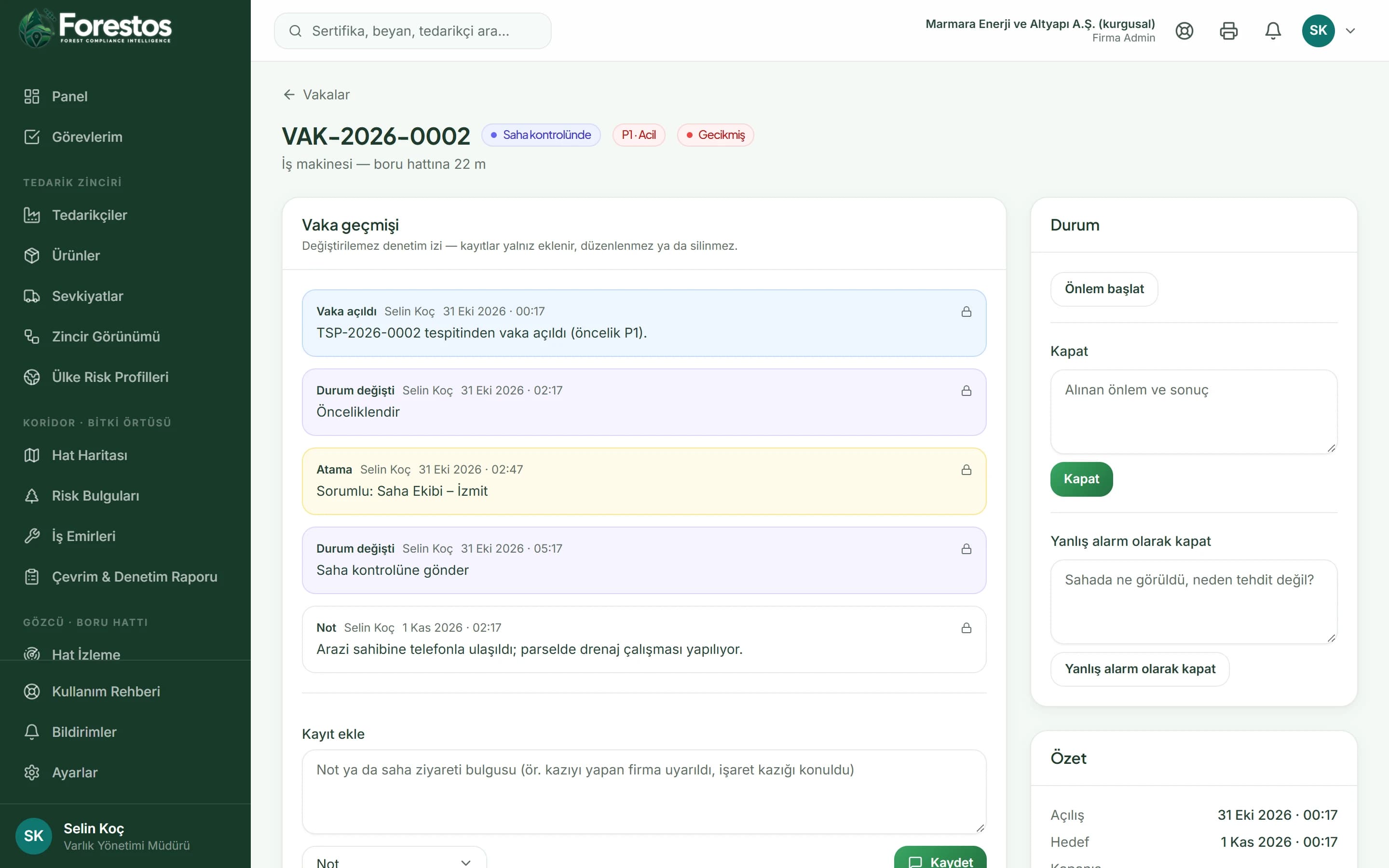
Open a case from a detection with one click; prioritise it, send it for a field check, start the mitigation and close it. False alarms are closed separately and shown in the report.
Frameworks we map to
- EUDR
- FSC®
- PEFC
- SBP
- ISO 14001
- GRI
- KVKK
- GeoJSON
- EU Information System (TRACES)
- WGS84
- CSV / REST API
- ISO 27001 control mapping
Case Management
Target time
A due date is set by priority; the report calculates the rate of compliance with the target time.
In the app
- /gozcu/vakalar
After logging in you reach these screens from the menu (the app interface is in Turkish).
Work with Case Management confidently and at scale
Every case goes through new → prioritised → field check → mitigation in progress → closed (or false alarm); every change is added to the timeline.
The Gözcü toolset
Not just Case Management: the whole flow
Frequently asked questions
Frequently asked questions about Case Management.
Would you like a short introductory call?
Get in touchCan the case history be changed?
No. Status, note, assignment and field-visit records are append-only.